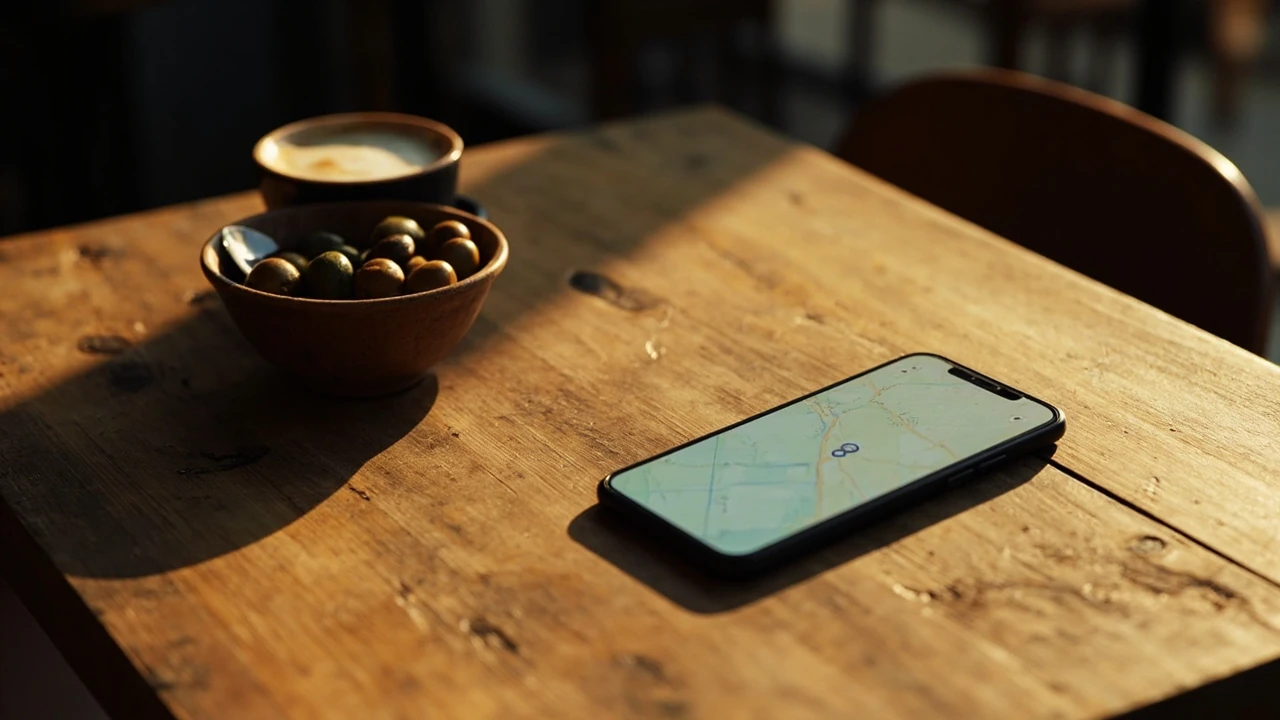
Food around me: how to find it, filter it, and decide faster
You are standing on a sidewalk at 7:42 p.m., hungry, and you pull out your phone to search for “food around me.” What you actually want is a short list of nearby places that match your mood, your budget, and the time you have, not a generic page of every restaurant in a five-mile radius. The difference between a useful search and a frustrating one comes down to how you ask, which tool you trust, and how you read the result before you walk through the door.
This guide walks through how to find food around you in a way that respects how the major map apps actually work, how restaurant data is sourced, and how your own habits bias the result. Whether you are traveling, new to a city, or just tired of the same three takeout spots, the process below will help you get from “I am hungry” to “I am eating” with less guesswork.
What “food around me” actually means to a search engine
When you type “food around me” into Google, Apple Maps, or a voice assistant, the app is not literally looking for the word “food.” It is trying to match a local intent. The intent usually includes:
- A radius based on your location, often between 1 and 10 kilometers, sometimes wider in rural areas.
- A category, most often restaurants, but also cafes, bakeries, fast food, dessert spots, and grocery or convenience options depending on phrasing.
- An implicit time filter, because a place that is closed at 7:42 p.m. is not really a “food” option for you right now.
- Signals about your preferences drawn from your history, ratings you have given, and the kind of place you usually pick.
That is why two people on the same block searching the same phrase can see very different lists. The phrase is short, the intent is broad, and the app has to do most of the guesswork for you. The rest of this article is about taking back some of that control.
The fastest ways to search for food around you
There is no single “best” app for every situation. The table below compares the most common starting points so you can pick the one that matches your current need. Each tool pulls from a mix of official listings, user reviews, and platform-specific data, and each has a few quirks worth knowing.
| Tool | Best for | How it picks results | Watch out for |
|---|---|---|---|
| Google Maps | Broad coverage and reliable hours | Combines business listings, user reviews, distance, and whether the place is currently open | Sponsored listings can appear above the highest-rated option |
| Apple Maps | iPhone users who want a clean interface | Uses its own curated data with strong editorial photos and walking or transit ETAs | Fewer reviews per place in some regions, so ratings are less reliable |
| Yelp | Filter by cuisine, price, and specific features like outdoor seating | Heavily weighted by review volume and reviewer activity | Reviewer patterns can favor dramatic experiences, both good and bad |
| Tripadvisor | Travelers comparing unfamiliar neighborhoods | Ranks by traveler rankings and recent reviews | Local favorites may be underrated because they get fewer tourist reviews |
| DoorDash, Uber Eats, Grubhub | Delivery-only searches when you are not leaving the couch | Surfaces only restaurants that have partnered with the platform | Marked-up menu prices, service fees, and limited choice in some suburbs |
| Instagram or TikTok nearby search | Discovering new and visually driven places | Surfaces recent posts and tagged locations from nearby | Trends can outpace actual quality or consistency |
You will usually get the most useful result by combining two of these rather than relying on one. A quick Google search gives you the hours and the address, while a Yelp or Instagram pass tells you whether the place actually delivers on its menu.
How to filter the results so you do not end up in the wrong place
The default “food around me” view is unfiltered. It is built to satisfy a wide range of users, which means it almost never optimizes for your specific situation. Spending thirty seconds applying filters will usually save you a wasted walk or a regretted order.
Start with these filters, in this order:
- Open now. Hours listed on map apps are not always accurate, especially around holidays or during staff changes. If a place shows “closing soon,” assume the kitchen stops taking orders earlier than the posted close time.
- Distance and walking time. A place that is “only 0.8 miles away” can still be a 20-minute walk if the route crosses a highway or a hill. Trust the app’s walking ETA more than the straight-line distance.
- Cuisine type. “Food” includes everything from a food truck to a tasting-menu restaurant. If you know you want noodles, pizza, or vegan, type that in instead of the generic phrase.
- Price range. Most apps use dollar signs for restaurants and a separate indicator for grocery or convenience. If you have a budget, set it before browsing menus.
- Dietary needs. Filters for vegetarian, vegan, gluten-free, halal, or kosher exist on Google Maps and Yelp, though coverage is uneven. Read the most recent reviews to confirm the kitchen still takes them seriously.
- Group size. If you are with three other people, a tiny counter spot with no reservations is rarely a good idea, even if the food is excellent.
By the time you have applied three or four of these, the list usually shrinks from thirty options to a manageable handful. That is when the real choice begins.
How to read a map listing before you commit
Once you have a short list, the next step is to read each listing like a short report rather than a business card. Three things matter most.
Star rating versus review count
A 4.7-star place with 12 reviews is a different bet than a 4.3-star place with 1,200 reviews. Small samples swing wildly. A single angry or enthusiastic reviewer can move the average, and the app does not always show you the spread of opinions. Look for places with at least 30 to 50 recent reviews before you treat the rating as a real signal.
Recency of reviews
Map apps let you sort by “newest.” Use this when you are deciding between two close options. A place that had a bad 2023 but a steady run of four- and five-star reviews in the last three months is probably in a different place than its lifetime average suggests. Conversely, a place with a long history of great reviews but a recent pattern of complaints about service, cleanliness, or portion size is signaling that something has changed.
The actual photos
Stock and owner-uploaded photos are usually aspirational. User-uploaded photos are usually honest. Look for the user photos first, especially the ones that show the full plate, the actual seating, and the lighting in the dining room. If a place only has polished marketing images and no recent user uploads, treat the listing with a small discount.
What the “near me” feature misses and how to fill the gap
Local search has gotten dramatically better over the last decade, but it still has blind spots. Knowing them is the difference between a good find and a great one.
- Pop-ups and food trucks. These often do not have permanent listings, and the ones that do exist are frequently outdated. Instagram and TikTok location tags are usually more current than a map app.
- New restaurants. A place that opened three weeks ago may have only a handful of reviews, even if the chef is experienced. Search by neighborhood plus cuisine rather than by name to catch them.
- Independent cafes and bakeries. They are sometimes categorized wrong or not categorized at all, so they do not surface under generic “food” searches. Try a more specific phrase like “bakery near me” or “breakfast near me.”
- Places inside hotels, museums, or office buildings. Map apps sometimes treat these as a single pin for the larger venue, so the actual restaurant name is buried. Open the venue listing and scroll.
- Late-night options. A general search often hides places that are open past 11 p.m. Sort by “open now” and then apply a cuisine filter, or use a dedicated late-night search phrase.
None of these gaps are fatal. They are just reasons to verify a result before you walk thirty minutes to find a closed kitchen.
A practical decision framework for choosing where to eat
When you are tired and hungry, decision fatigue is real. A short framework can save you from a mediocre choice made in haste. The following table breaks the decision into four steps, with a simple check for each. You do not need to use it every time, but it is useful for the moments when you would otherwise default to the closest chain.
| Step | Question to answer | What to look for |
|---|---|---|
| 1. Mood check | Do I want a sit-down meal, quick takeout, or delivery? | Match the format to your remaining time and energy |
| 2. Cuisine shortlist | Do I want a specific cuisine or am I open to anything? | Two or three cuisines maximum, to keep the list realistic |
| 3. Filter pass | Are the top three options open, within walking distance, and budget-appropriate? | Cross-check hours, walking ETA, and price level |
| 4. Trust check | Does at least one of the three have a recent review that describes the experience I want? | Read the most recent two or three reviews, not just the rating |
If you reach step four with a clear winner, go there. If not, the tiebreaker is usually recency. The place whose most recent user review describes a normal, specific meal is more likely to deliver what you are expecting than the place with one viral photo from two years ago.
Why “food around me” works differently on a phone than on a desktop
Most of these searches happen on a phone, often with location services on. That changes a few things. Phones default to your current location at the time of the search, not your home address or your office. If you have searched for food from your desk for years, the algorithm has learned a pattern tied to that area. The moment you search from a different neighborhood, the result is messier because the app has less history to lean on.
Voice search behaves a little differently again. A spoken query like “find food around me” tends to be more forgiving of accents and phrasing, but the assistant will often default to the top three results without showing alternatives. If the first suggestion does not sound right, say something like “show me more options” or add a cuisine, price, or time constraint to force a re-query.
Desktop searches, which are far less common for this intent, treat “around me” loosely. The browser will ask for location permission and may or may not honor it. If you are planning ahead, you are usually better off searching by neighborhood plus cuisine, like “best ramen in West Loop” or “cheap eats in the Mission,” rather than relying on the “around me” phrasing.
How restaurant owners and food businesses show up in these results
It is worth knowing what is happening on the other side of the screen, because it affects what you see. A restaurant that wants to surface for “food around me” usually has to do three things well:
- Keep business information current. Hours, address, phone number, and menu links need to be accurate on Google Business Profile, Apple Maps Connect, Yelp, and any delivery platform they use. A single wrong closing time can hide a place from a 9 p.m. search.
- Encourage a steady stream of recent reviews. The recency and pace of reviews matter as much as the average star rating. A steady drip of honest reviews from the last 90 days beats a single burst from a launch event three years ago.
- Use photos that match the experience. Owners who upload updated photos of the actual dining room and the current menu tend to convert better than those who only use the images from their photographer’s first session.
On the consumer side, this means the places that show up most often are not always the best. They are often the best at maintaining their listings. If you are a regular searcher, a brief check of the listing for a place you already love is a small way to support the spots that rely on foot traffic rather than delivery apps.
Common traps when searching for food around you
Even experienced searchers fall into a few recurring traps. A short list of the most common ones will help you avoid them.
- Sorting by distance only. The closest place is not always the most open, the cleanest, or the best value. Distance should be a filter, not a ranking.
- Trusting the photo on the menu. Many delivery platforms compress images and color-correct them. What arrives can look quite different from what you saw.
- Ignoring the “service” angle. A four-star place with complaints about slow service and a four-star place with complaints about cold food are very different bets. Read the actual review text.
- Assuming sponsored means better. Sponsored results are paid placements, not quality endorsements. They can still be excellent, but they should not be the only reason you pick a place.
- Forgetting the time of day. A brunch spot at 8 p.m. is often winding down with limited menu options. A great dinner spot at 8 a.m. may not open for another three hours.
How to plan ahead when you are traveling or in a new city
“Food around me” is a useful phrase on the ground, but it is a weak planning tool. If you are visiting a city for a few days, a more structured approach will get you better results.
Start with a few high-quality lists from editors or locals you trust. Many food writers publish neighborhood guides that group restaurants by vibe rather than ranking, which is more useful for a short visit. Save the specific places to a personal map, then add notes on opening hours and reservation policies. When you arrive in a new neighborhood, open that map and search within it rather than performing a generic “food around me” search from your hotel.
For travelers, food branding and storytelling also matter more than they do at home. A restaurant that explains where its produce comes from, who its chef trained under, or what regional tradition it is working with is usually a safer bet than one that markets itself on a single viral dish. That kind of context is exactly what food branding tries to communicate, and the places that do it well tend to maintain their quality over time. For more on how restaurants shape those signals, the journal on restaurant branding and identity is a useful starting point.
For locals trying to break out of a routine, the same principle applies. Look at the places that have been quietly busy for a year rather than the ones that opened with a press release. Read the recent reviews. Check the menu. The most reliable signal is consistency over time, not a single moment of attention.
How restaurants can help you find them more easily
There is a flip side to this conversation. If you run a food business, you are trying to be the answer to someone’s “food around me” search. Two practical moves make a real difference.
First, treat your online listings as a core part of the business, not an afterthought. A 15-minute audit of your restaurant website and listings will surface most of the small errors that hide a place from local search. Outdated hours, broken menu links, and missing photos cost more traffic than almost any other marketing problem.
Second, invest in imagery that shows the real experience. A clear, well-lit photo of a signature dish, taken in the actual dining room, will outperform a generic stock image every time. The same logic applies to the way you turn that signature dish into a steady stream of content, which the guide on turning one signature product into a month of content walks through in detail. If you can be findable, photographable, and tell a clear story, you will be the kind of place that shows up in someone’s “food around me” search at exactly the right moment.
Putting it into practice tonight
If you are going to use this process right now, here is the shortest version. Open one map app on your phone. Type “food around me.” Apply the open-now filter and one cuisine filter. Glance at the three top results. Read the most recent review on each. Walk to the one whose review most closely matches the kind of meal you actually want tonight.
That is the whole method. The rest of this article is context for the moments when the simple version is not enough, when you are traveling, when you are trying something new, or when you want to understand why the app keeps suggesting the same chain restaurant even though there is a better option one street over. The better option is almost always there. It just takes a few extra seconds to find it.
Frequently asked questions
What is the best app to find food around me?
There is no single best app for every situation. Google Maps and Apple Maps are the most reliable starting points because of their broad coverage and accurate hours. Yelp is better for filtering by specific features like outdoor seating, dietary needs, or price range. For delivery-only searches, DoorDash, Uber Eats, and Grubhub are useful, but they show only restaurants that have partnered with the platform, so the list is narrower than a map app.
Why does “food around me” sometimes show places that are closed?
Map apps rely on business owners to keep their hours updated, and many do not. The hours shown on a listing can lag behind real changes, especially around holidays, staff shortages, or seasonal schedules. If a place shows as open but looks deserted when you arrive, that is usually the reason. Sorting by “open now” reduces the problem but does not eliminate it.
How can I find good food around me when I am traveling?
Generic “food around me” searches are weaker when you are new to a city because the app has less history to work with. Look for editor-led neighborhood guides from local food writers, save the specific places to a personal map, and then search within that map when you are on the ground. Reading the most recent two or three reviews at each spot is more reliable than the star rating alone.
Are sponsored results in map apps better than the other results?
Sponsored results are paid placements, not quality endorsements. They are often good places, but they are not ranked above the others because they are better. Treat them as one option among several rather than the default choice, and use the same filters and review checks you would for any other result.
How do I find late-night food around me?
Use a more specific phrase like “food open now near me” or “late-night food around me” rather than the generic “food around me.” Map apps will apply the open-now filter more aggressively when the time is part of the query. You can also try a delivery app, which usually surfaces late-night options more reliably than a map app.
What should I look for in reviews to find the right place?
Recent reviews matter more than the average star rating. Read the two or three most recent reviews and look for specifics: what the reviewer ordered, how the service felt, what the room sounded like, and whether they would return. A four-star place with consistent, specific recent reviews is usually a better bet than a 4.8-star place with a single burst of reviews from months ago.
How can restaurants show up more reliably in “food around me” searches?
Restaurants that keep their business listings current, encourage a steady stream of recent reviews, and use photos that reflect the actual experience tend to surface more often. Outdated hours, broken menu links, and missing photos are the most common reasons a good place is hard to find through local search.
Is it better to search for “food around me” or a specific cuisine like “pizza near me”?
If you already know what you want, a specific phrase will give you a more focused list and a better chance of finding a specialist. If you are open to anything, the generic phrase is fine, but expect to do more filtering. The most efficient search for most people is a generic phrase plus two filters, like open-now and a price range.
How do I find new food places around me that are not yet popular?
New restaurants often have very few reviews, so they do not surface in the default ranking. Try searching by neighborhood plus cuisine, like “new ramen in Wicker Park,” or browse Instagram and TikTok location tags for recent posts. The places you find this way are riskier bets, but they are also the ones most likely to surprise you.
Why do I keep seeing the same chain restaurants in my “food around me” results?
Chains invest heavily in keeping their listings accurate, and they have the review volume to dominate the default sort. If you want to see independent spots more often, switch the sort to “highest rated” instead of “default,” apply a cuisine filter, and check the user-uploaded photos. That combination usually pushes independent options closer to the top.